Motion Photo Wallpaper gets a new role with Samsung’s One UI 9 update, allowing compatible Galaxy users to turn their captured Motion Photos into animated backgrounds for the home screen, lock screen or both.
The feature is part of the broader customization improvements arriving with One UI 9. Although the software update is not considered a major visual overhaul compared with One UI 8.5, Samsung has added several practical changes aimed at personalization, accessibility and the overall user experience.
For now, Motion Photo wallpapers have limited availability. The feature is confirmed on Samsung’s latest foldable devices, while its availability on other Galaxy models remains uncertain.
Table of Contents
One UI 9 Turns Motion Photos Into Animated Wallpapers
The key addition in One UI 9 is the ability to use a Motion Photo as a wallpaper.
A Motion Photo is more than a conventional still image. When the feature is enabled while taking a photograph, the Galaxy device records a short clip around the moment the shutter is pressed. This creates a brief moving sequence that can later be viewed alongside the captured photograph.
With One UI 9, Samsung is giving that short clip another function.
Instead of keeping Motion Photos inside the Gallery purely for viewing or selecting the best frame, users can now use them as animated backgrounds. A compatible Motion Photo can be selected as the wallpaper for the home screen, the lock screen or both.
This gives Galaxy users another way to personalise their devices without needing a third-party live wallpaper application.
How the Motion Photo Wallpaper Feature Works
Samsung has kept the setup process relatively straightforward.
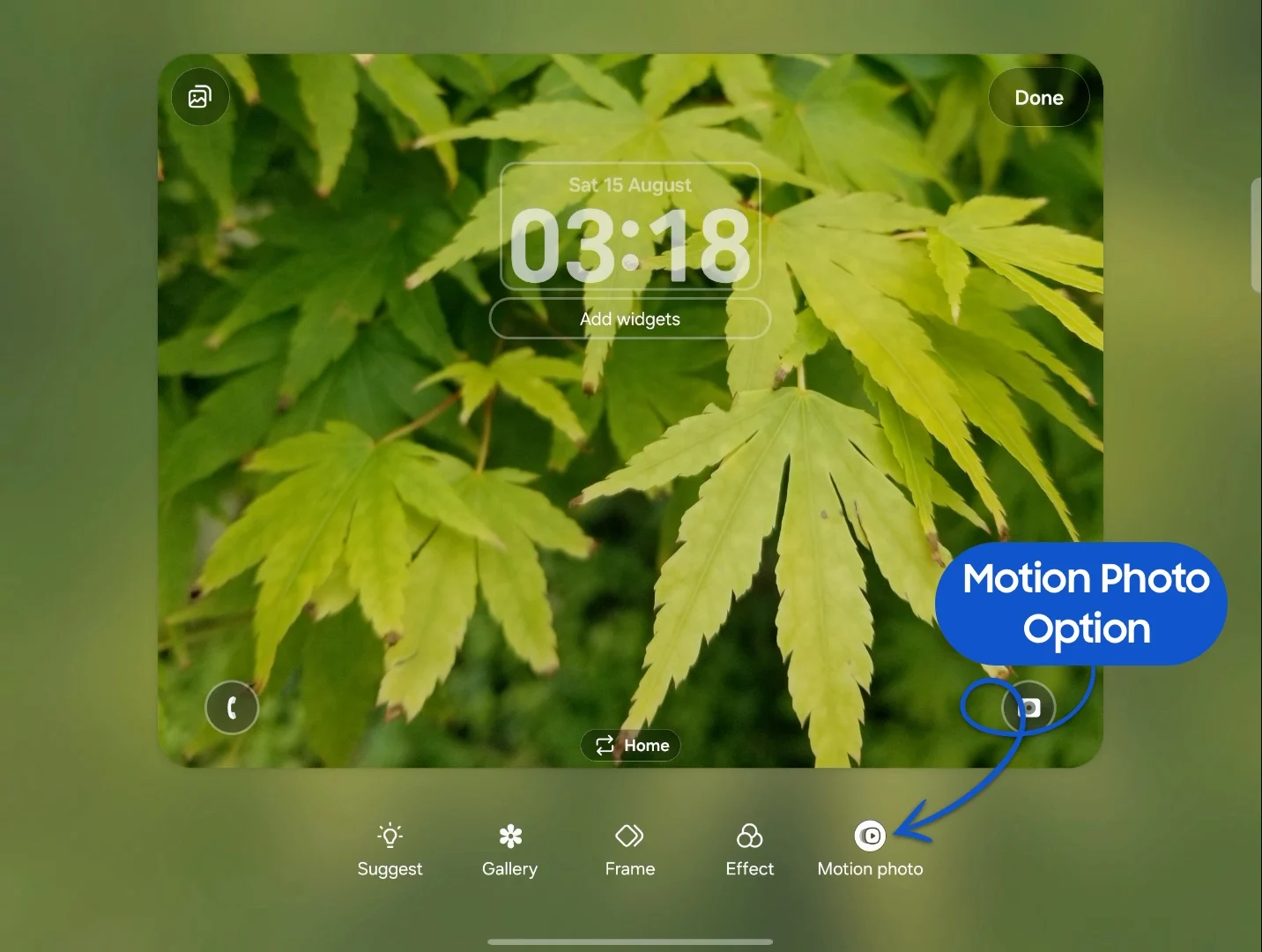
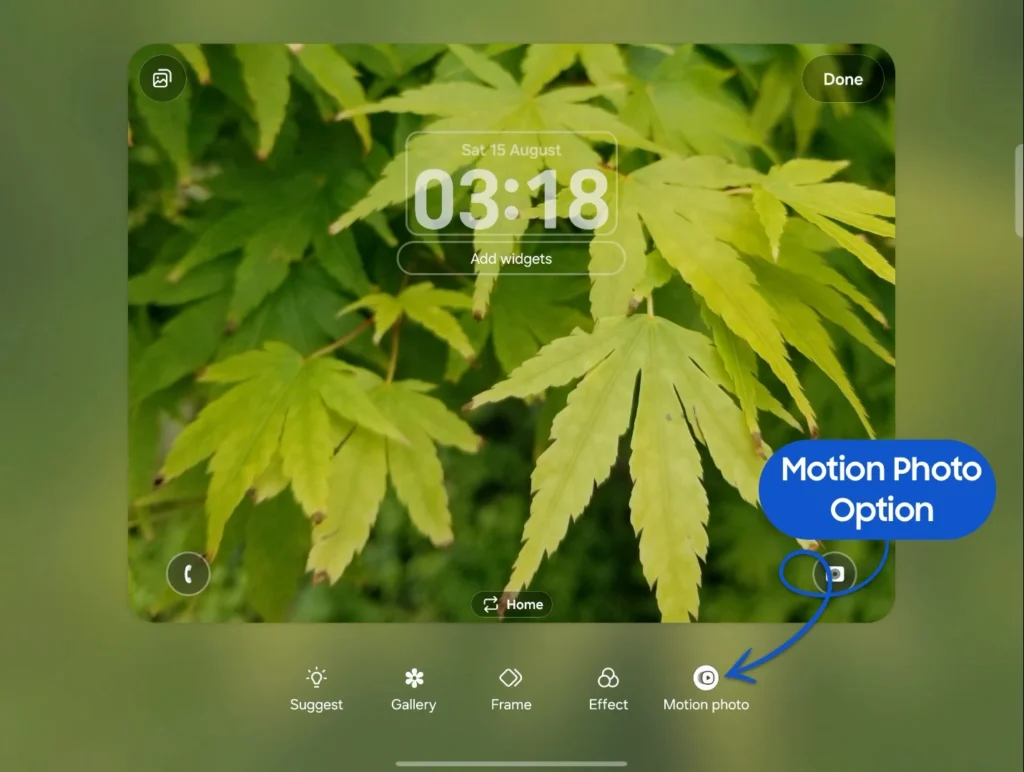
Users can begin by opening the Gallery application and selecting an image that was captured as a Motion Photo. When the image is selected for use as a wallpaper, the phone provides a preview showing how the moving background will appear.
A dedicated Motion Photo option allows users to decide whether the animation should remain active.
This is particularly useful for people who like the idea of a moving wallpaper but do not necessarily want animation running every time they view their phone. The same image can therefore function either as a static background or as an animated Motion Photo wallpaper.
The feature can be applied to the home screen, lock screen or both, giving users additional control over how their Galaxy device looks.
What Is a Samsung Motion Photo?
Motion Photo is an existing Samsung camera feature rather than something newly introduced with One UI 9.
The feature captures a short sequence of movement around the moment a photograph is taken. This allows users to revisit the few seconds surrounding the shutter press rather than being limited to a single frozen frame.
One of the original advantages of Motion Photos was the ability to review the captured sequence and choose the moment that best represented the scene.
For example, if a person blinked just as the shutter was pressed or an important action happened immediately before the photograph was taken, the Motion Photo could provide additional frames to choose from.
One UI 9 expands that functionality by allowing the captured movement to become part of the device’s visual interface.
Supported Samsung Galaxy Devices
Availability is currently limited.
The Motion Photo wallpaper feature has been confirmed on three devices:
- Galaxy Z Flip 8
- Galaxy Z Fold 8
- Galaxy Z Fold 8 Ultra
These devices run One UI 9 and currently provide access to the new wallpaper option.
However, One UI 9 compatibility by itself does not guarantee access to the feature. This is particularly important for owners of other Galaxy smartphones that have received or are testing the new software.
For example, the feature was not visible on a Galaxy S26 Ultra running One UI 9.0 Beta 5 in testing referenced by the supplied reports.
That does not necessarily mean Galaxy S26 users will never receive the feature. The absence from beta software leaves open the possibility that Samsung could introduce it with a later stable release.
Galaxy S26 Support Remains Unclear
The Galaxy S26 series is an important point of discussion because Samsung’s One UI 9 beta programme has been associated with the company’s flagship smartphones.
However, the Motion Photo wallpaper option has not appeared in the referenced One UI 9.0 beta testing on the Galaxy S26 Ultra.
This means users should not assume that installing One UI 9 automatically provides access to the feature.
Samsung has not confirmed a specific rollout timeline for Motion Photo wallpapers on the Galaxy S26 series. The possibility of the feature arriving with a future stable update remains open, but there is currently no confirmed commitment.
The distinction between the operating system version and individual feature availability is important because manufacturers can enable certain functions only on selected models, software builds or hardware configurations.
One UI 9 Focuses on Personalisation
The Motion Photo wallpaper feature fits into a broader direction for One UI 9.
Samsung has been placing increasing emphasis on customisation and personalisation across its software ecosystem. The latest update brings additional options that allow users to adjust the appearance and behaviour of their Galaxy devices.
Motion Photo wallpapers are a relatively small addition, but they demonstrate how Samsung is finding new uses for existing hardware and software features.
Instead of requiring a completely new camera system or wallpaper technology, the company is taking content that users already create and integrating it into another part of the phone experience.
This approach can provide additional functionality without significantly changing how users capture photographs.

New Cover-Screen Wallpaper Improvements
One UI 9 also introduces another wallpaper-related improvement, particularly relevant to Galaxy devices with cover screens.
Samsung’s own One UI 9 information describes an automatic positioning system designed to prevent the clock and widgets from covering important parts of a cover-screen photograph.
The system can automatically position these interface elements based on the image. Users can also manually adjust the placement if the automatic positioning does not produce the desired result.
This is especially useful for foldable devices, where the external display has a smaller viewing area and interface elements can easily overlap with the subject of a photograph.
Together with Motion Photo wallpapers, the change shows Samsung’s focus on making wallpapers more interactive and better integrated with the interface.
AI and Other One UI 9 Improvements
One UI 9 is not limited to wallpaper customisation.
Samsung has described the broader update as bringing additional creative tools, customisation options, accessibility improvements and security enhancements.
The company has also indicated that more advanced AI capabilities will become available on additional flagship Galaxy devices.
However, Samsung’s broader announcements about the expansion of One UI 9 do not specifically confirm that Motion Photo wallpapers will be included on every compatible device.
That distinction is important because software updates often contain features that are restricted to particular hardware or released gradually.
Users therefore may receive One UI 9 while still not having access to every feature available on the latest Galaxy models.
Other Wallpaper Developments Around Samsung
Samsung’s software ecosystem is also seeing other wallpaper-related developments, although they are separate from the Motion Photo feature.
An upcoming SmartThings application update has reportedly been explored with additional customisation options, including backgrounds that could change colour depending on the time of day and different wallpapers for saved locations.
The redesigned application is expected to use elements of One UI 9’s visual language.
However, this is a separate application development and should not be confused with the Motion Photo wallpaper function built into One UI 9.
Similarly, references to One UI 9.5 have appeared in leaked Galaxy S26 FE firmware assets. The presence of such assets does not confirm a release schedule, and Samsung has not established a connection between One UI 9.5 and the Motion Photo wallpaper feature.
Why Motion Photo Wallpapers Are Interesting
The new feature may appear relatively minor compared with major operating system changes, but it highlights an important trend in smartphone software.
Manufacturers are increasingly looking for ways to make devices feel more personal and interactive.
A conventional wallpaper is static. A live wallpaper can provide movement, but it often requires specially designed content or third-party applications.
Motion Photo wallpapers offer a middle ground because they use photographs captured by the user.
This makes the feature more personal. Instead of selecting a generic animated background, users can turn a short memory into an interactive element of their phone’s interface.
A family moment, a pet moving around, a scenic view or another memorable event can potentially become a subtle animated background.
Potential Benefits and Limitations
The biggest advantage is simplicity. Users do not need to create a separate video wallpaper or download additional software. If they already have a compatible Motion Photo in their Gallery, it can potentially be used directly.
The preview and animation toggle also give users control over the final appearance.
However, the biggest limitation at present is device availability.
Only the latest Galaxy Z Flip 8, Galaxy Z Fold 8 and Galaxy Z Fold 8 Ultra are confirmed to support the function according to the supplied information.
Owners of other Galaxy devices running One UI 9 may therefore have to wait for Samsung to clarify whether the feature will expand to additional models.
What Galaxy Users Can Expect Next
For now, Samsung’s Motion Photo wallpaper feature remains a relatively limited One UI 9 addition rather than a universal function across the Galaxy ecosystem.
The confirmed support on the newest foldables gives users an additional way to customise their devices, while the lack of the feature on the Galaxy S26 Ultra beta leaves its wider rollout uncertain.
Samsung could potentially expand the function through future stable software releases, but no specific timeline has been confirmed.
The feature nevertheless illustrates how Samsung is extending the usefulness of existing Galaxy capabilities. Motion Photos were originally designed to capture a little more life around a still image. With One UI 9, those short clips can now become part of the phone’s visual experience.
For users with supported devices, that means the home screen and lock screen no longer have to remain completely static. A favourite Motion Photo can now bring a small amount of movement to the Galaxy interface, adding another layer of personalisation to Samsung’s latest software experience.