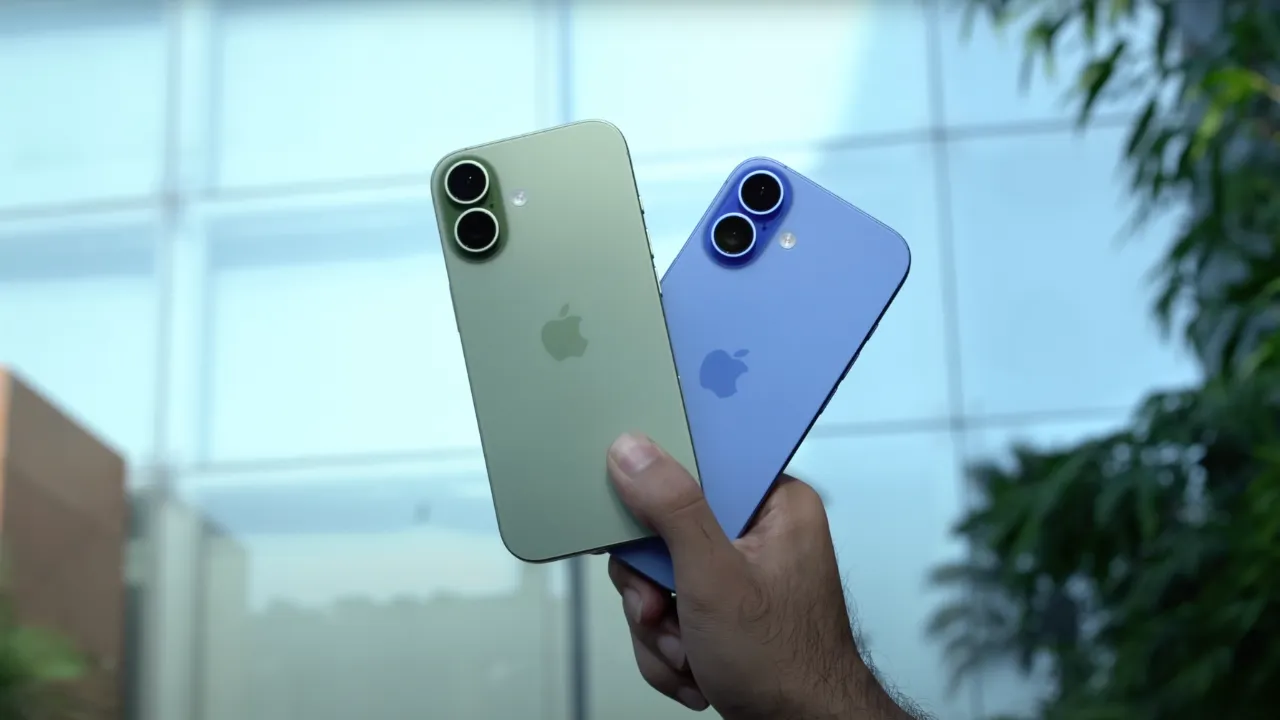
iPhone Duo app support is becoming an important consideration for users of Apple’s first foldable smartphone, which has arrived in global markets with a new display format and fresh challenges for app developers. Users will need to check which applications are optimised to take full advantage of the device’s wider folding display and flexible viewing modes.
Apple has confirmed that more than 50 applications on the App Store will be optimised for the iPhone Duo at launch. The list includes popular entertainment platforms such as Netflix, Prime Video and Paramount+, alongside productivity tools, social media apps, travel services, shopping platforms and games.
However, not every iPhone application will offer the same experience on the new device. While standard apps are expected to remain functional, their layouts may not make full use of the foldable screen. Applications designed specifically for the iPhone Duo will offer a more refined interface, with content extending across the display and navigation controls positioned to suit the larger screen.
For users setting up their new foldable, understanding these differences will be important when deciding which apps to install, update or use for entertainment, work and everyday tasks.
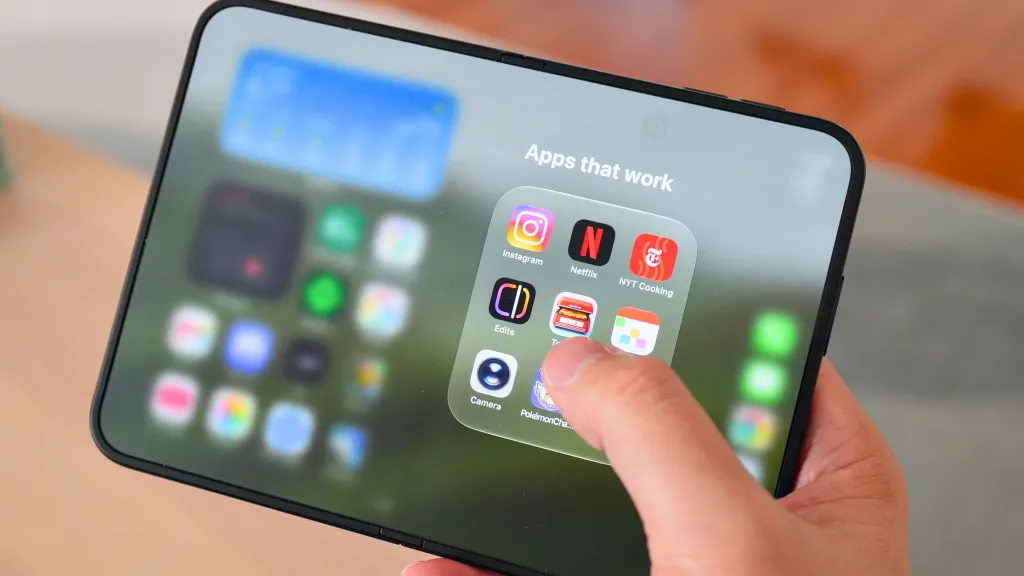
Table of Contents
iPhone Duo App Support: How Apps Will Work on the Foldable
The iPhone Duo introduces a different screen format from conventional smartphones. Its outer cover display is shorter, while the main folding display offers a wider viewing area when the device is opened.
This change means developers must consider more than simply making their existing applications run on another iPhone model. They also need to adjust how content, menus, navigation controls and interactive elements appear across different display configurations.
According to Apple, applications on the iPhone Duo will broadly fall into three categories: unoptimised apps, partially optimised apps and fully optimised apps.
1. Unoptimised Apps
Regular iPhone applications that have not been specifically adapted for the iPhone Duo will continue to function. However, their appearance may not be ideal, particularly when users open them on the main folding display.
Unoptimised apps will appear centred on the larger screen, leaving broad black bars on either side. This approach allows the original interface to remain usable without stretching its layout across the entire display.
Although users should still be able to access the application’s existing features, the unused screen space may make the experience feel less immersive than on a fully optimised app.
The outer cover display presents a different challenge. Because it has a shorter format, some applications designed for conventional iPhones may appear squeezed into the available space. Their core functionality will remain available, but the interface may not feel as naturally arranged as an application designed specifically for the Duo.
2. Partially Optimised Apps
Partially optimised applications will make better use of the main folding display by stretching their interface across the wider screen.
However, these apps will still retain a black navigation sidebar on both displays. As a result, they will not provide the same edge-to-edge experience as applications that have been fully adapted for the device.
This intermediate approach offers a practical improvement over simply centring a conventional smartphone interface. It allows more of the screen to be used while retaining parts of the existing navigation structure.
For users, the difference will depend on the application. Some may find the wider layout more convenient, while others may still notice unused areas or interface elements that do not fully suit the foldable format.
3. Fully Optimised Apps
Fully optimised applications are designed to take advantage of the iPhone Duo’s wider main display and outer cover screen.
These apps can run full-screen on both displays, with content extending across the available viewing area. Navigation controls are presented as floating buttons in the navigation sidebar, allowing content to appear underneath rather than being restricted to a conventional layout.
The result is a more integrated interface that makes better use of the device’s display dimensions.
Full optimisation also extends beyond screen size. Compatible apps can take advantage of different device postures, allowing developers to introduce layouts that respond to how users position the phone.
This could make a difference when watching videos, editing content, participating in meetings or using applications that benefit from a hands-free viewing position.
iPhone Duo’s Folding Design Introduces New Ways to Use Apps
The iPhone Duo’s folding design is not limited to providing a larger screen. Its different postures also create opportunities for applications to offer more flexible experiences.
Two modes highlighted by Apple are the L-shaped tabletop mode and the tent posture.
L-Shaped Tabletop Mode
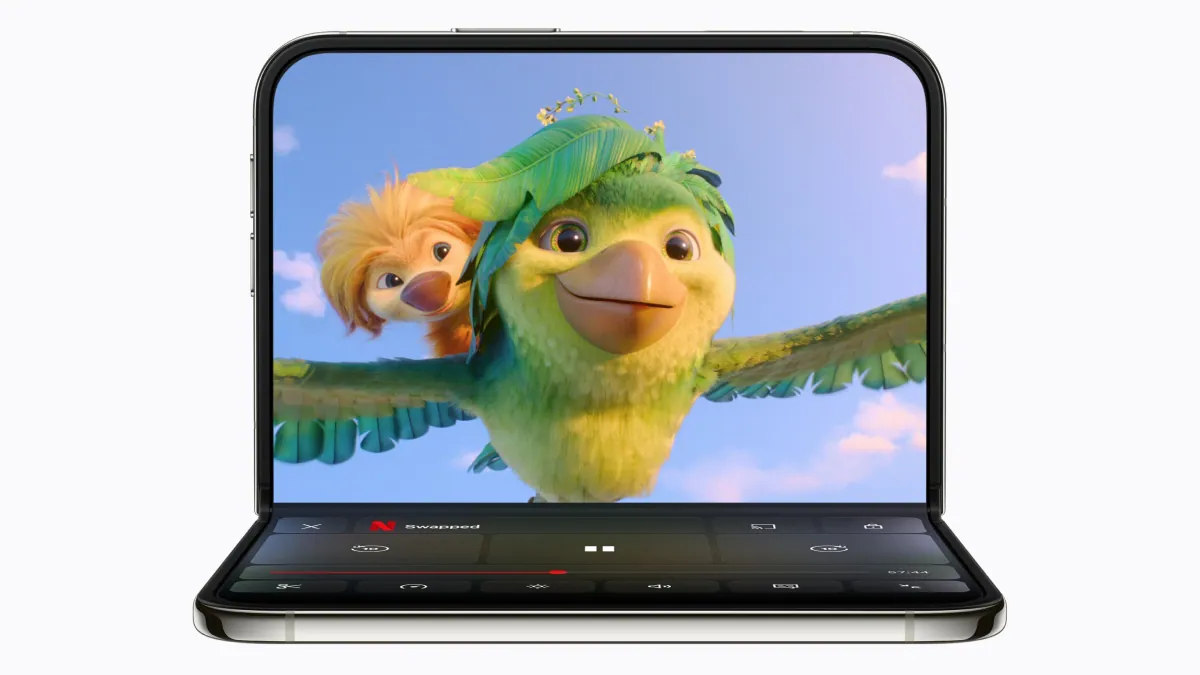
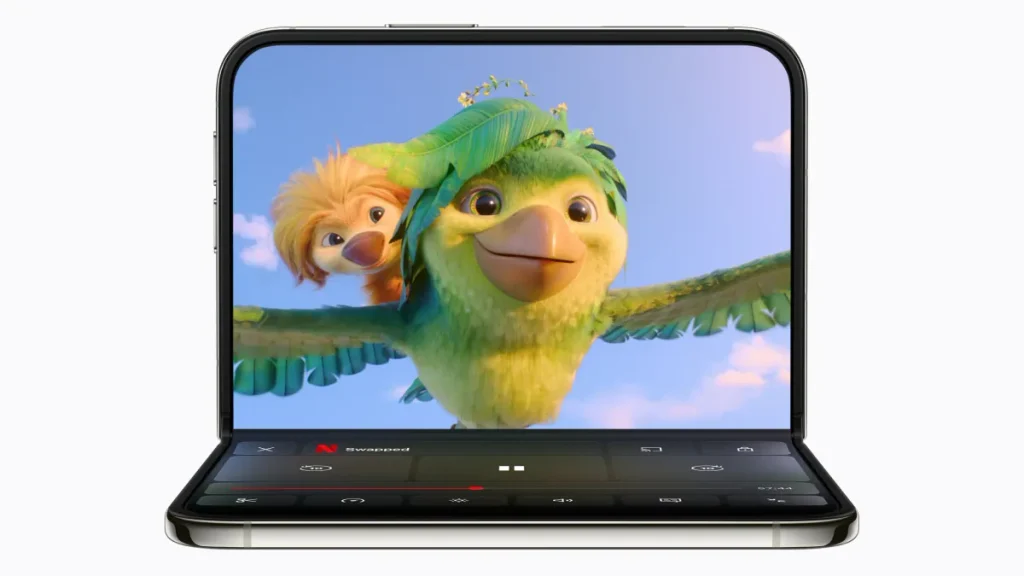
The L-shaped tabletop mode allows the phone to be positioned so users can view content hands-free.
Netflix is one of the applications highlighted for this experience. Its optimised interface can display playback controls and other relevant options on the lower half of the device while content occupies the upper half.
This arrangement could be useful when watching a film or television programme without holding the phone throughout playback. It also demonstrates how developers can reorganise controls instead of simply enlarging the conventional smartphone interface.
The same general approach could prove useful for other applications that combine a primary viewing area with interactive controls, although the exact features will depend on each app’s implementation.
Tent Posture
The tent posture is another example of how the foldable’s physical design can influence software experiences.
Apple identifies the Clock app as a suitable use case for this position. By adapting to the device’s posture, an application can make information easier to view when the phone is placed on a surface.
These modes underline why app optimisation matters. A foldable smartphone can offer more flexibility than a traditional handset, but developers must adapt their applications to make that flexibility useful.
Apps Optimised for iPhone Duo at Launch
Apple has confirmed that more than 50 App Store applications will be optimised for the iPhone Duo by October 23, the date of the device’s global sale.
The launch list covers several categories, including streaming, productivity, social media, gaming, travel, shopping, navigation and lifestyle applications.
Here is the complete list of applications identified as currently optimised for the iPhone Duo.
Entertainment and Streaming Apps
Entertainment services are among the most prominent applications on the list. Their wide-screen interfaces are particularly relevant to a device designed to provide a larger viewing area when unfolded.
- Netflix
- Prime Video
- Paramount+
- Apple Music
- Apple TV
- iQIYI
- MLB
- PGA Tour
Netflix is specifically highlighted for its ability to use the wide main display and tabletop mode. Prime Video and Paramount+ are also listed as offering fully optimised interfaces.
Apple Music and Apple TV are included among the compatible applications, giving users additional options for music and video entertainment.
Productivity and Work Apps
The productivity category includes applications designed to help users manage documents, email, meetings, ideas and everyday work.
- Zoom
- Slack
- Salesforce
- Fantastical
- Airmail
- Craft
- WPS Office
- Xmind
- Tiimo
- Detail
- Moises
Zoom is highlighted for its split-view layout, which places a presentation on one side of the display and meeting participants on the other. This arrangement could make it easier to follow a presentation while keeping track of people attending the meeting.
Slack offers a two-pane interface similar to its iPad app, with navigation integrated into the right side of the screen. The layout is designed to make better use of the wider display when moving between conversations and other parts of the application.
Microsoft Word and Microsoft Outlook are expected to receive updates soon. Both applications are described as aiming to provide desktop-class experiences on the iPhone Duo’s main display, particularly for document discovery, formatting and email management.
Their absence from the current optimised list means users should check for the relevant updates rather than assume that the enhanced interfaces are already available.
Social Media and Communication Apps
Social networking and communication applications are another important part of the launch ecosystem.
- Instagram Edits
- rednote
- KakaoTalk
- KakaoPage
- Band
- Webtoon
Instagram Edits is specifically highlighted for its split editing interface. The arrangement allows users to preview filters more clearly before selecting and applying them.
This type of layout can be particularly helpful for creative tasks, where seeing editing controls and the resulting content together may improve the workflow.
The list also includes communication platforms and content-focused applications such as KakaoTalk, KakaoPage, Band and Webtoon. Their inclusion broadens the range of activities users can carry out on the device beyond entertainment and conventional office work.
Gaming Apps
Gaming applications can also benefit from a wider screen, although the precise experience will depend on how each title is adapted.
The launch list includes:
- Asphalt Legends
- Sneaky Sasquatch
- Retrocade
- Deck-Man
These titles represent different types of gaming experiences, from racing to casual and retro-style gameplay.
The wider display may provide additional room for game content and interface elements, but the degree of improvement will depend on each game’s optimisation. A larger screen alone does not guarantee that every title will offer a better control layout or gameplay experience.
Two additional titles are identified as upcoming updates: Zenless Zone Zero, expected to receive support in November, and UnGodly, which is also scheduled for November.
Shopping, Food and Lifestyle Apps
The iPhone Duo’s launch compatibility list also includes applications for shopping, dining, food delivery and fitness.
- NYT Cooking
- LTK
- Lowe’s
- Shop
- OpenTable
- DoorDash
- Yelp
- SmartGym
These apps cover a variety of everyday activities, from discovering recipes and shopping for products to finding restaurants, ordering food and managing workouts.
Their inclusion illustrates that foldable optimisation is not limited to applications designed around large-screen entertainment or professional work. Everyday services can also benefit from interfaces that make better use of the available display area.
Travel, Navigation and Aviation Apps
Travel-related applications make up another notable part of the list.
- Lyft
- American Airlines
- United Airlines
- Flighty
- Sky Guide
- Tide Guide
- Tripsy
- AMap
These applications cover transportation, airline services, flight information, navigation and trip planning.
A wider interface could provide more room for information, menus and controls, depending on how each developer implements its design. For travellers, having compatible applications available from the beginning could make the device more useful for managing different parts of a journey.
Creative, Photography and Music Apps
The launch list also includes tools for content creation and audio production.
- VLLO
- edjing Mix
- Next Shot
These applications join Instagram Edits, Detail and Moises among the creative tools listed for the device.
A larger display can provide additional space for editing controls and previews, potentially making certain tasks easier to manage. However, the precise benefits will vary according to the features each developer has adapted for the iPhone Duo.
Apps Expected to Receive iPhone Duo Support Soon
Not every application will be fully optimised at launch. Four applications or titles are expected to receive updates or arrive with support soon.
| App | Expected availability |
|---|---|
| Microsoft Word | Update expected soon |
| Microsoft Outlook | Update expected soon |
| Zenless Zone Zero | November 2026 |
| UnGodly | November 2026 |
Microsoft Word and Outlook are expected to bring improved experiences to the wider display, with a focus on more advanced document handling and productivity features.
Meanwhile, Zenless Zone Zero and UnGodly are listed for November. UnGodly is described as a dark fantasy role-playing game that is expected to take advantage of both the cover and main displays.
The exact rollout timing and final feature set for these updates should be confirmed through the respective developers or App Store listings.
What iPhone Duo Users Should Check Before Installing Apps
For new owners, checking iPhone Duo app support can help set realistic expectations about how applications will look and behave.
First, users should make sure their applications are updated to the latest available versions. An optimisation update may introduce a redesigned layout or support for additional display modes.
Second, users should distinguish between an app that works on the device and one that has been specifically optimised for it. Compatibility does not necessarily mean the application will fill the screen or support different folding postures.
Third, users should check the app’s interface after opening it on both the cover display and the main folding screen. An application may look different depending on the display being used, and some features may be better suited to one layout than another.
Finally, users should keep an eye on announcements from app developers. The list of supported applications is expected to evolve as more developers adapt their software to the device.
Why App Optimisation Matters for Apple’s Foldable Strategy
The iPhone Duo’s success as a flexible device will depend on more than its hardware. Applications play a central role in determining whether users can make practical use of the additional screen space.
A poorly adapted interface can leave large portions of the display unused, while an optimised application can rearrange navigation, controls and content to create a more coherent experience.
The launch list suggests that developers across multiple categories are preparing for this change. Streaming services are adapting their viewing interfaces, productivity tools are exploring larger workspaces, and creative applications are reorganising editing controls to suit the wider screen.
Support for different device postures could further distinguish the experience from that of a conventional smartphone. However, the benefits will depend on the quality of each implementation and how consistently developers maintain their applications through future updates.
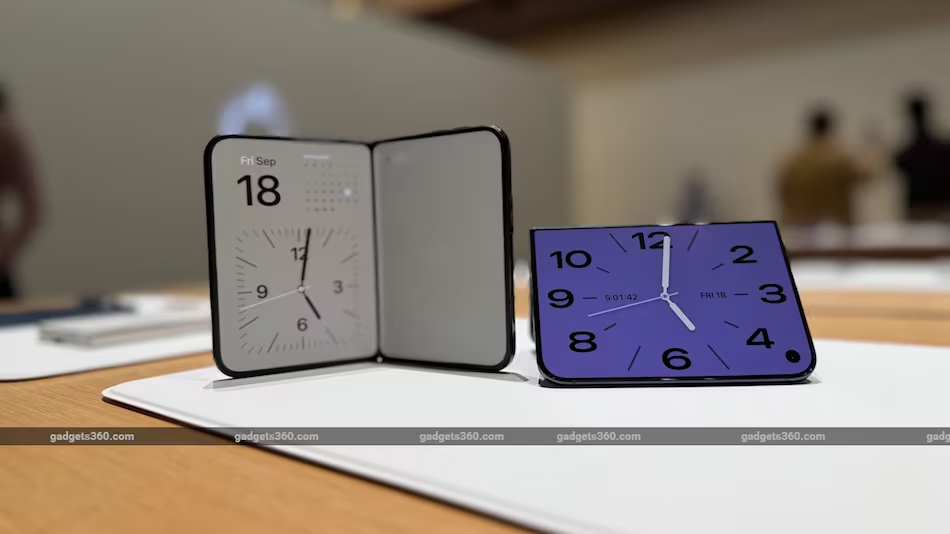
The iPhone Duo app support list includes more than 50 applications identified as optimised for Apple’s first foldable, spanning entertainment, productivity, social media, gaming, shopping, travel and lifestyle services.
Netflix, Prime Video, Paramount+, Zoom, Slack, Instagram Edits and several other applications are among the notable names on the launch list. Microsoft Word, Microsoft Outlook, Zenless Zone Zero and UnGodly are expected to receive updates or support soon, with the latter two scheduled for November.
Although regular iPhone applications will continue to work, their interfaces may not make full use of the foldable’s displays. Fully optimised apps promise a more seamless experience through edge-to-edge layouts, floating navigation controls, split-screen arrangements and support for different device postures.
As more developers update their software, the range of applications designed for the iPhone Duo is likely to expand. For users, checking compatibility and keeping applications updated will be key to getting the most out of the new foldable experience.