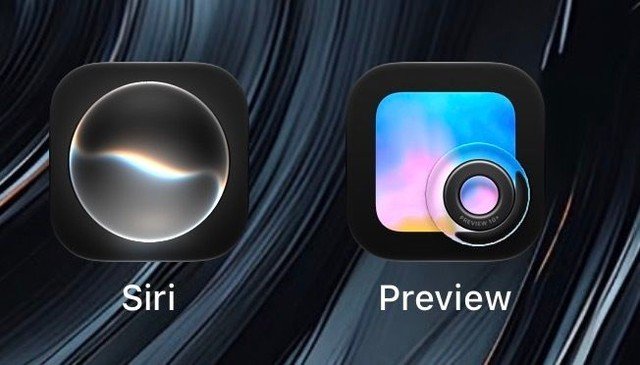
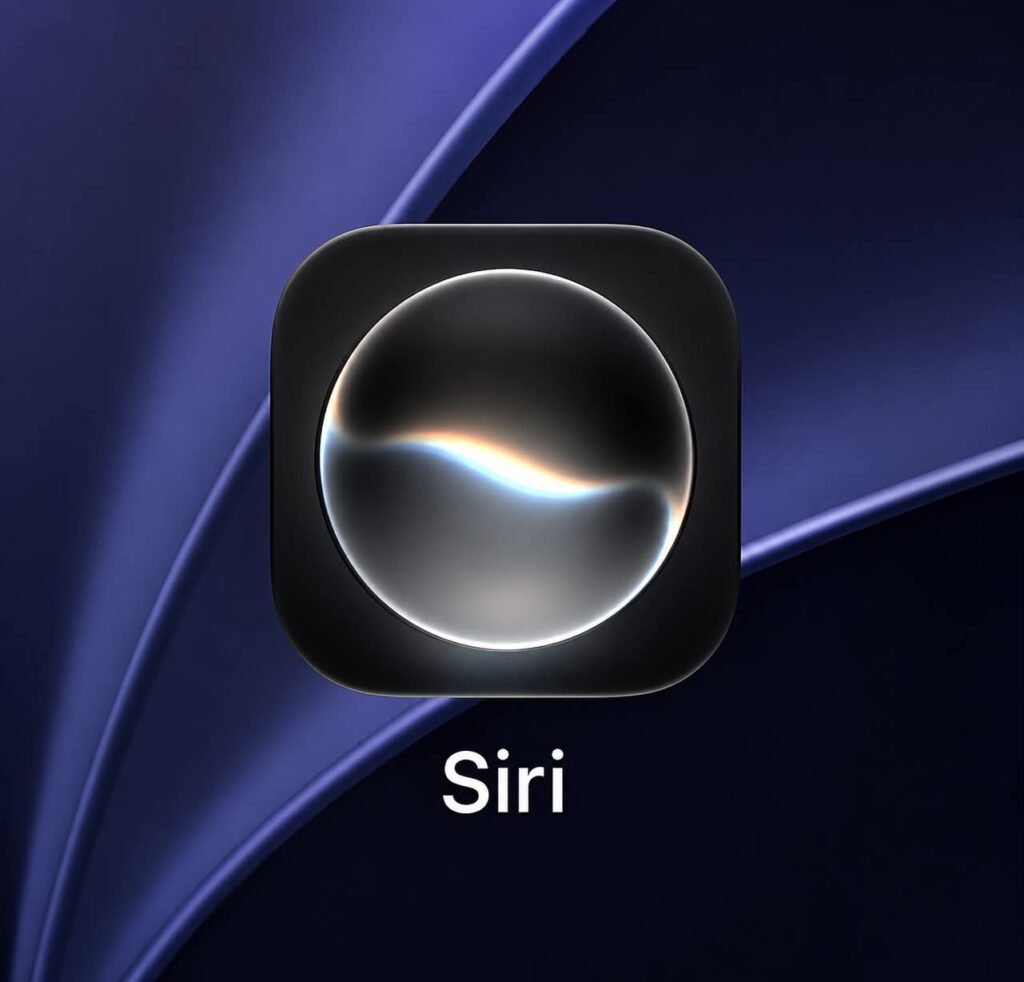
Siri has received a major visual refresh in the fifth developer beta of iOS 27, with Apple redesigning the standalone Siri app icon with a fluid and transparent appearance inspired by the glowing interface associated with its AI assistant. The update is part of Apple’s broader transition towards its new Liquid Glass design language, which is being extended across several system applications and interfaces.
The redesigned Siri icon represents a notable departure from the previous static visual treatment. Instead of relying on a conventional, fixed icon design, Apple has created an appearance that more closely reflects the dynamic glow users see when Siri is activated.
According to details reported by The Verge, the change arrives as Apple continues expanding the Liquid Glass aesthetic throughout iOS 27. The design language uses transparency, layered visual elements, reflections and depth to create a more fluid interface across compatible Apple devices.
The Siri redesign is particularly significant because Siri is also becoming more prominent as a standalone application in iOS 27. Rather than functioning primarily as an assistant that appears over other applications, the new Siri app is positioned as a central location for conversations, prompts and Apple Intelligence-related workflows.
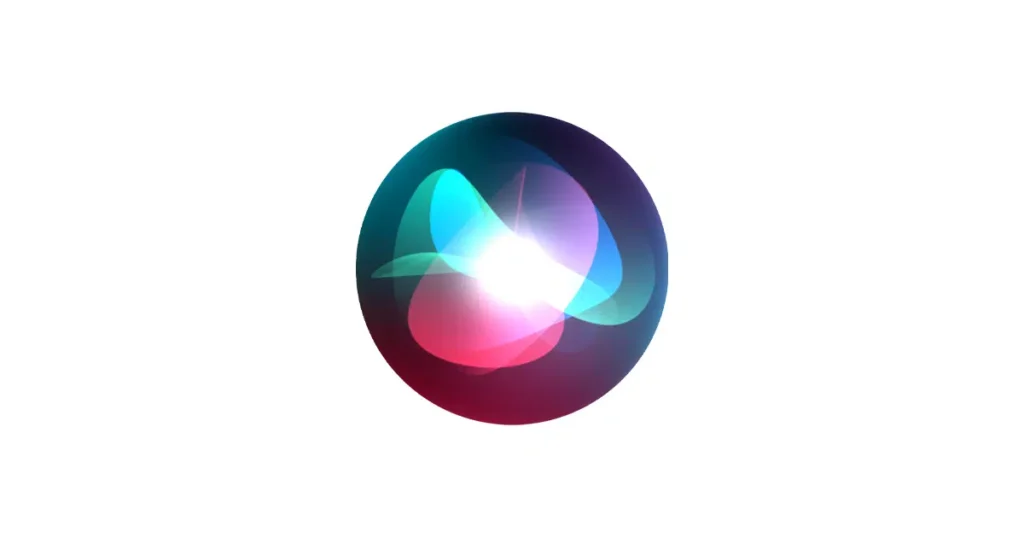
Table of Contents
New Siri Icon Takes Inspiration From Siri’s Dynamic Glow
The most visible change in iOS 27 beta 5 is the redesigned Siri app icon.
The new icon moves away from the more static visual identity associated with earlier Siri designs. Instead, it uses multiple translucent layers and vibrant visual effects to create an appearance that resembles the Siri glow shown around the display when the assistant is activated.
The design appears to have been developed to connect the icon more closely with the actual Siri experience. Rather than simply representing the assistant through a symbolic graphic, Apple is using the visual language of Siri’s interface itself as the basis for the app icon.
This approach is consistent with Apple’s wider Liquid Glass strategy. The company is increasingly using transparency and layered elements to make interface components appear more dimensional while maintaining a clean visual style.
For users, the change could make the Siri app easier to distinguish while also creating a stronger visual connection between the icon and Apple’s evolving AI platform.
Siri Becomes a Dedicated App in iOS 27
The icon redesign is only one part of a broader change involving Siri in iOS 27.
Siri is becoming a dedicated application rather than functioning solely as an overlay assistant. The standalone app is designed to provide users with a centralised dashboard for interacting with Siri and managing their AI-related activities.
The app can provide access to conversation history across supported Apple devices, allowing users to continue interactions and revisit previous prompts. Users can also pin important prompts and manage Apple Intelligence workflows that are integrated into Apple’s wider software ecosystem.
The move could represent a shift in how Apple expects users to interact with Siri. Instead of launching Siri only when they need to perform a quick task, users may increasingly use the dedicated application as a central hub for AI-assisted activities.
The redesign of the icon therefore serves a practical purpose as well. As Siri becomes more visible as an independent app, Apple is giving it a visual identity that reflects its expanded role within iOS.
What Is Apple’s Liquid Glass Design Language?
Liquid Glass is Apple’s new visual design approach, built around transparency, depth, reflections and layered interface elements.
The aesthetic gives system components a glass-like appearance, allowing different layers of an interface to interact visually. Elements can appear translucent, shift with device movement and reveal subtle depth effects without making the interface feel overly complex.
Apple is applying the design language across iOS 27 and other software platforms. System applications are receiving updated icons and interfaces as the company gradually moves away from previous visual styles.
The new Siri icon is among the clearest examples of how Apple is adapting individual application identities to the Liquid Glass system.
Rather than simply changing colours or adding small graphical details, Apple has incorporated transparency and depth into the icon itself. This creates a visual effect intended to make the icon feel more dynamic and connected to the broader operating system.
Preview Icon Gets a Major Visual Makeover
Siri is not the only system application receiving an updated icon in iOS 27 beta 5.
Apple has also redesigned the Preview icon, giving it a significantly more detailed appearance. The updated design features a physical-style loupe positioned over a colourful gradient background.
The increased level of detail gives the icon a more tangible appearance compared with the flatter designs used previously. The colourful background also fits with the broader visual direction Apple is adopting across its system applications.
The Preview app itself has become an increasingly useful part of Apple’s software ecosystem, particularly for users working with documents and images. The refreshed icon provides a more distinctive visual identity while bringing the application into line with the latest system-wide design language.
Safari Icon Receives Brighter and Sharper Details
Safari has also received a visual refinement in the fifth developer beta.
The redesigned Safari icon features a brighter blue background, while the compass lines and directional arrows have been made sharper and more detailed.
The changes are relatively subtle compared with the complete redesign of the Siri and Preview icons, but they contribute to a more consistent visual identity across Apple’s applications.
Safari’s compass symbol has remained one of the most recognisable elements of Apple’s software branding. By refining its lines and adding greater visual detail, Apple is modernising the icon without abandoning the fundamental imagery users already associate with the browser.
The brighter colour treatment also works with the transparency and depth effects found elsewhere in the new Liquid Glass interface.
Settings and App Store Icons Gain Deeper Translucency
The Settings and App Store icons have also received refinements in iOS 27 beta 5.
Both icons now feature deeper translucency effects designed to create the impression of multiple overlapping layers. These layers can appear to shift realistically as the iPhone moves, adding another dimension to the interface.
The effect is part of Apple’s broader effort to make its software feel more responsive and physically connected to the device.
Instead of treating icons as completely flat objects, the Liquid Glass approach gives them depth and visual movement. This can make the overall interface feel more dynamic while maintaining Apple’s familiar minimalist design philosophy.
The changes also demonstrate that Apple’s redesign is not limited to a handful of applications. Core system icons across iOS are gradually being brought into a more unified visual system.
Remote Icon Gets Physical Details and New Background
The Remote application has received a smaller but noticeable redesign.
The updated Remote icon incorporates additional physical details intended to make the remote-control imagery more realistic. Apple has also replaced the previous pure-black background with a neutral grey shade.
The change gives the icon a softer appearance and aligns it more closely with the updated visual language used elsewhere in iOS 27.
While the Remote icon does not appear to have undergone as dramatic a transformation as Siri, Preview or other applications, the additional details show Apple’s focus on consistency across the entire collection of system icons.
Why the Siri Redesign Matters
The redesign of Siri comes at an important moment for Apple’s software strategy.
Apple is increasingly positioning artificial intelligence and Apple Intelligence as central components of its ecosystem. Siri is expected to play a major role in that strategy, particularly as the company works to expand its AI capabilities across iPhone, iPad and other Apple devices.
Making Siri a dedicated app gives Apple a clearer platform through which it can present these capabilities. The updated icon reinforces that change by giving Siri a stronger standalone identity.
The design also helps distinguish the new Siri experience from the traditional voice assistant interface that users have known for years.
By drawing inspiration from the Siri glow, Apple is effectively turning a familiar interaction effect into a visual brand element.
iOS 27 Beta 5 Continues Apple’s Broader Interface Refresh
The fifth developer beta demonstrates that Apple’s iOS 27 redesign extends well beyond a single application.
Siri, Preview, Safari, Settings, App Store and Remote have all received visual changes, although the extent of the redesign differs from one app to another.
The common element is the adoption of greater transparency, depth and visual detail. Together, these changes create a more consistent interface across Apple’s system applications.
For developers and early testers, beta releases also provide an opportunity to see how Apple’s design direction is evolving before the final software becomes widely available.
Because iOS 27 is still in development, individual visual elements may be refined or changed before the final release. Apple regularly adjusts interface details during beta testing based on development requirements and feedback.
What Users Can Expect From the New Siri Experience
The redesigned icon is ultimately a visual representation of a larger change in Siri’s role.
With Siri becoming a dedicated application, users can expect the assistant to occupy a more prominent position within the iOS ecosystem. A centralised interface for conversations, prompts and Apple Intelligence workflows could make it easier to manage AI interactions over time.
Cross-device conversation history could also provide a more continuous experience for users who regularly switch between Apple devices. Instead of treating every Siri interaction as an isolated request, the system can provide a more organised way to revisit and manage previous interactions.
The ability to pin prompts may also be useful for frequently repeated tasks or workflows. This could make Siri more practical for users who use Apple Intelligence features regularly rather than only for occasional voice commands.
A New Visual Identity for Apple’s AI Future
The iOS 27 beta 5 icon changes suggest that Apple is attempting to align the appearance of its software with the company’s evolving focus on artificial intelligence.
Siri’s new icon is particularly notable because it visually connects the standalone application with the assistant’s dynamic glow. The result is a design that feels less like a traditional app icon and more like an extension of the Siri interface itself.
Meanwhile, the updated Preview, Safari, Settings, App Store and Remote icons show how Apple’s Liquid Glass design is being applied across the wider operating system.
Together, the changes represent a broader visual transition for iOS. Apple is moving towards interfaces that rely more heavily on transparency, layered depth, reflections and subtle motion while retaining recognisable elements of its existing design language.
For users, the changes may initially appear cosmetic, but the Siri redesign points to something more significant: Apple’s intention to make Siri a more visible and central part of the iOS experience.
As iOS 27 development continues, further refinements are likely before the final version reaches users. For now, however, the fifth developer beta provides a clear indication of Apple’s direction — a more dynamic Siri experience combined with a system-wide Liquid Glass visual identity.